

You can test our mobile proxies at no cost. We provide two trial sessions, each lasting 2 hours — activate them whenever you need.
1. Create an Account
Go to your personal dashboard: my.mobileproxy.ee
❓Need help with registration? Use our step-by-step guide.
❓Need help with registration? Use our step-by-step guide.
2. Anti-Fraud Verification
To pass the verification, simply add any amount of funds to your account using any available payment method (the minimum deposit for NOWPayments is11$ and Stripe is $1).
This amount remains fully on your balance — the trial is completely free.
This amount remains fully on your balance — the trial is completely free.

3. Activate Your Trial
1) Go to: Products/Services → Mobileproxy → Order
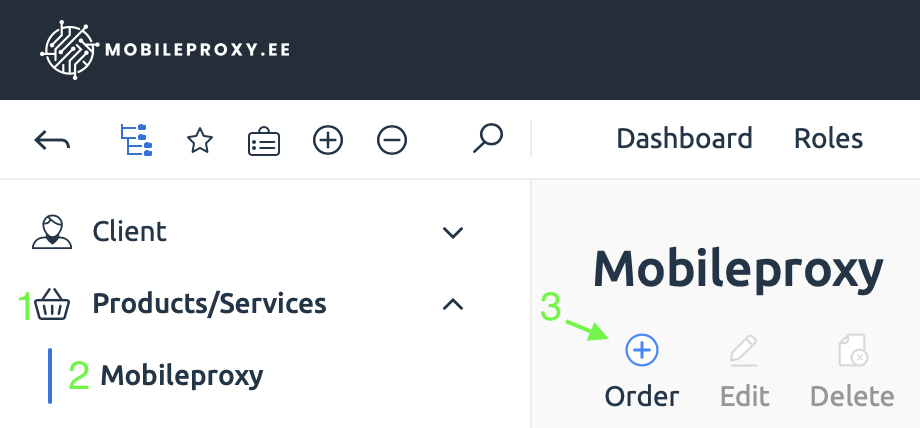
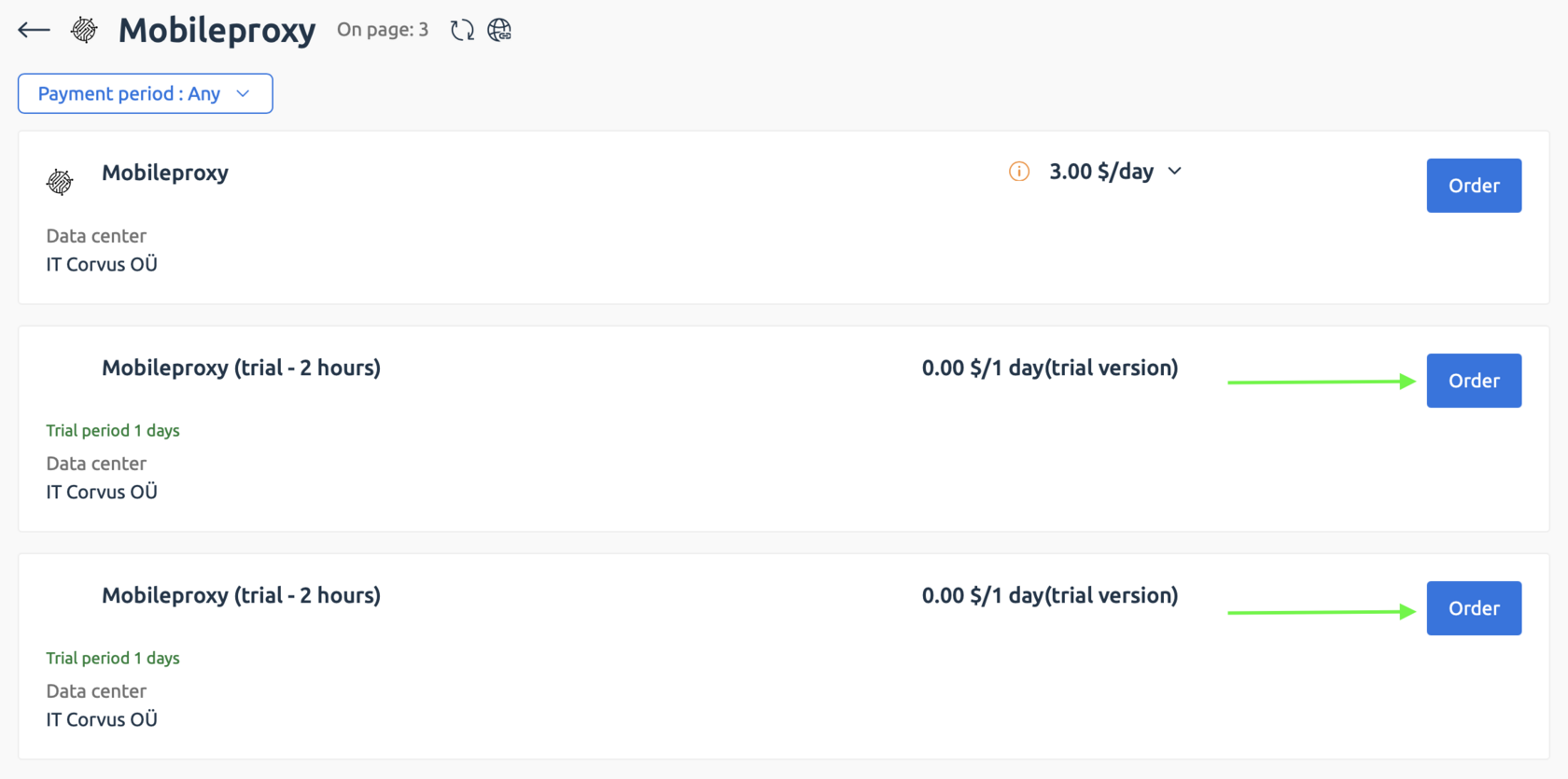
2) You will see two trial options, each valid for 2 hours.
To order both trials, activate them one by one: first order the initial service, then repeat steps 3 and 4 for the second one.
Click “Order” next to any service labeled “Trial Period”.
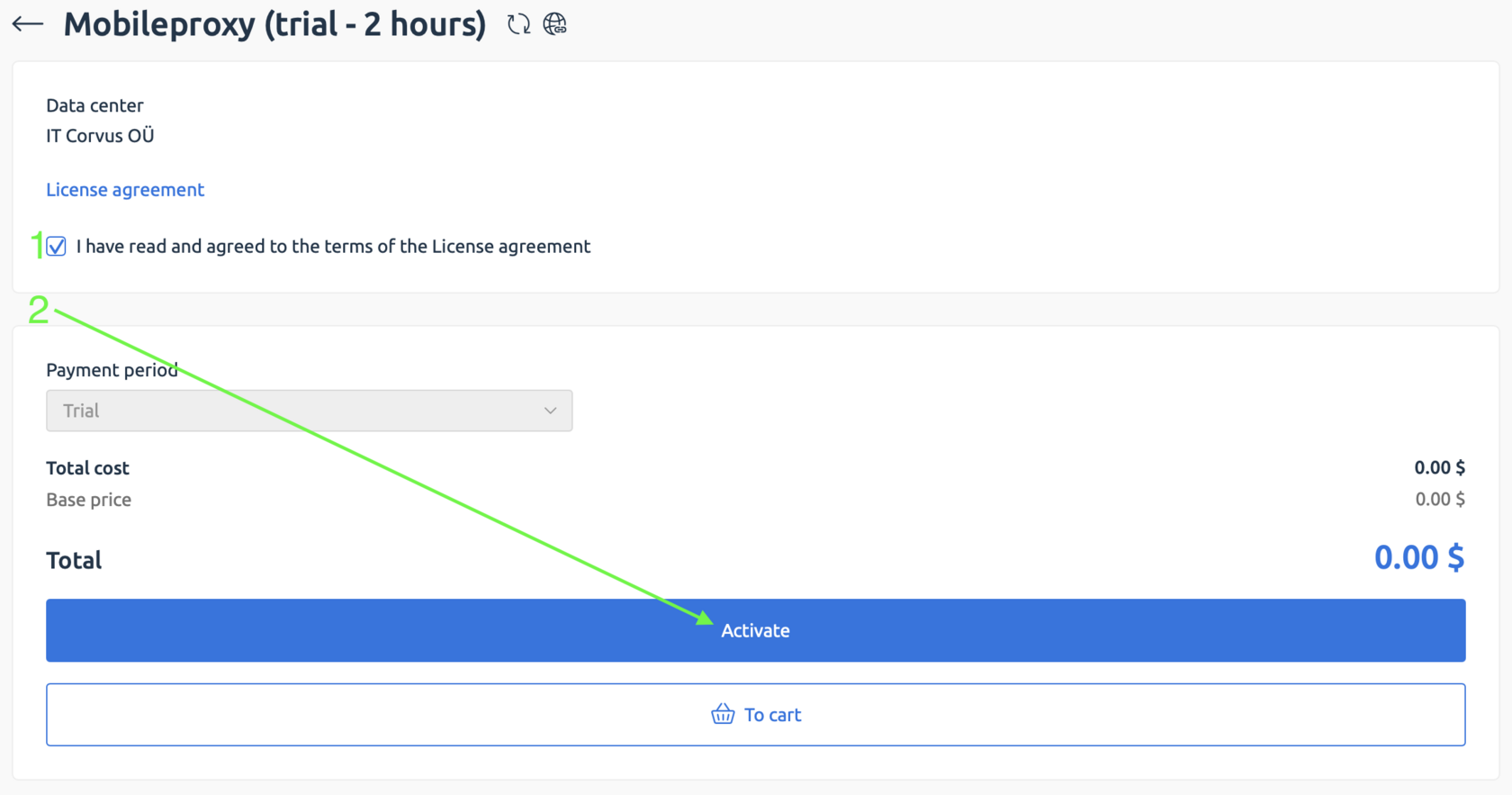
3) Accept the Terms of Service → click “Activate”.
Your service will be active within 1–2 minutes.

4. Access Your Proxy Details
1) Email delivery: we will send the connection details to your email.
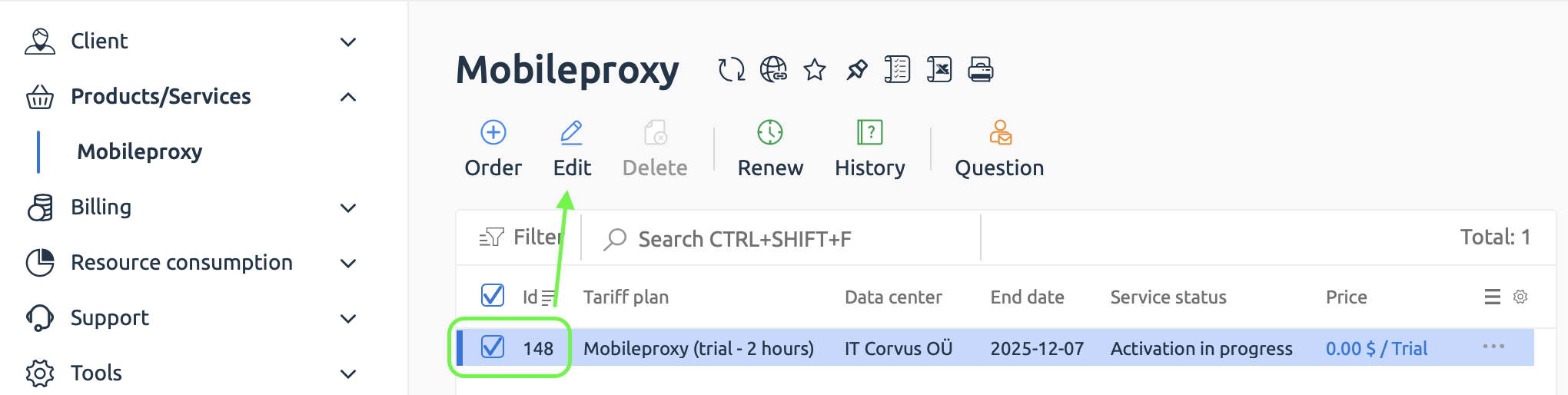
2) View inside your dashboard: you can also find them here.
Products/Services → Mobileproxy → select the service → “Edit” (or simply double-click the service).
Need more time for testing?
Just contact us — we’re always happy to help!


✏️️ Want to discuss something? Join our Telegram chat.
❓Questions? Check our "knowledge base" or use the contacts at the bottom of the page.