
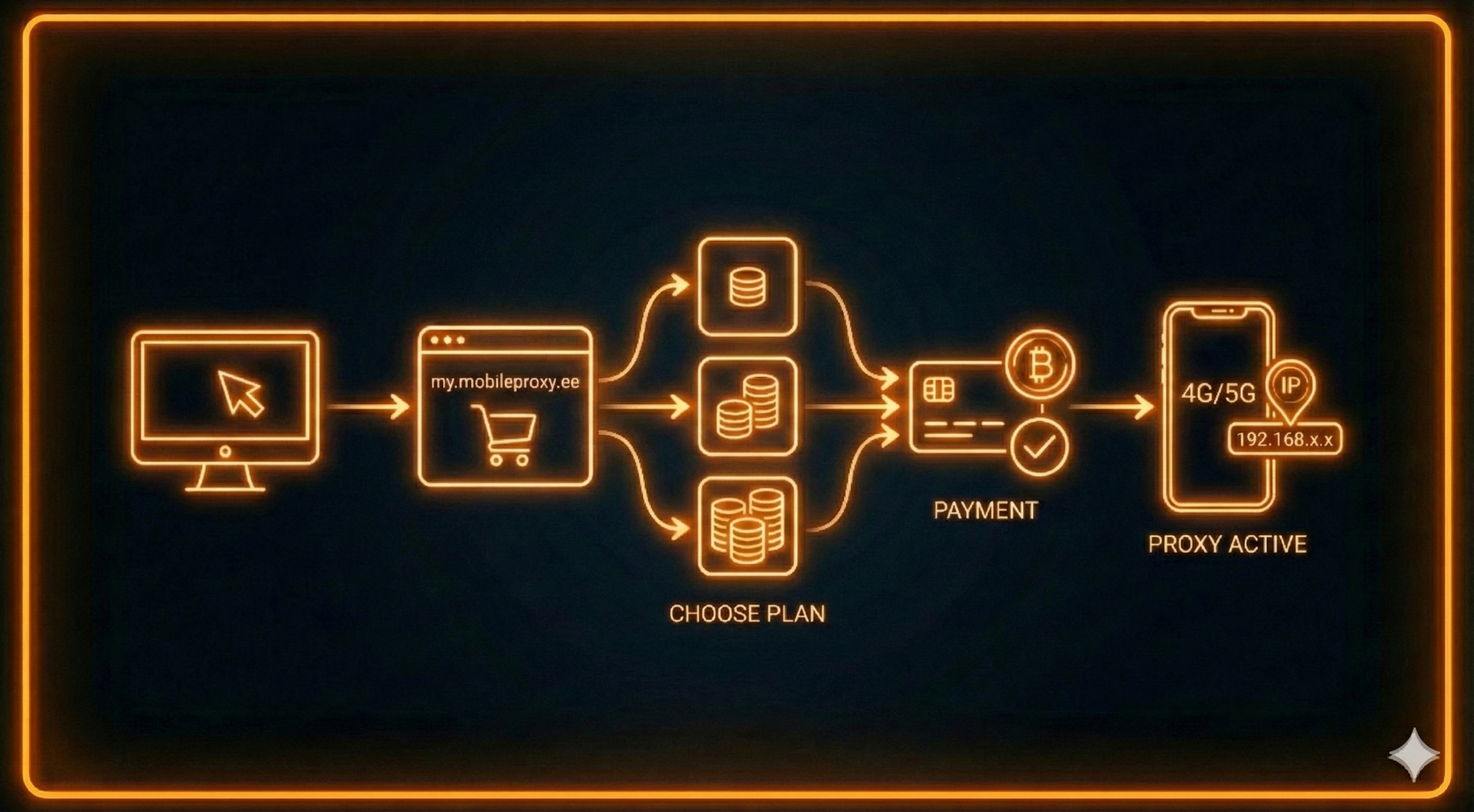
Purchasing mobile proxies takes just 2–3 minutes. Below is a step-by-step guide — from registration to successful activation.
Table of Contents
1 - Account Registration
1) Go to your personal dashboard and fill in the required information. If you already have an account, simply log in.
2) Read and accept the User Agreement and Privacy Policy.
3) Click “Register.”
4) You will receive an email to confirm your address. Open the message and complete the verification.
5) Done! Your account is now ready to use.
2) Read and accept the User Agreement and Privacy Policy.
3) Click “Register.”
4) You will receive an email to confirm your address. Open the message and complete the verification.
5) Done! Your account is now ready to use.
2 - Choosing a Plan
1) To start the order process, navigate to: Products/Services → Mobileproxy → Order
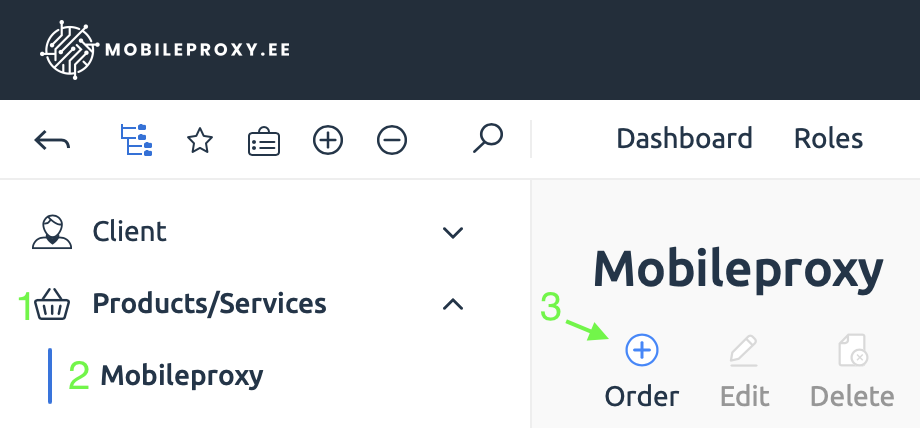
2) Click “Order” next to the Mobileproxy tariff plan.

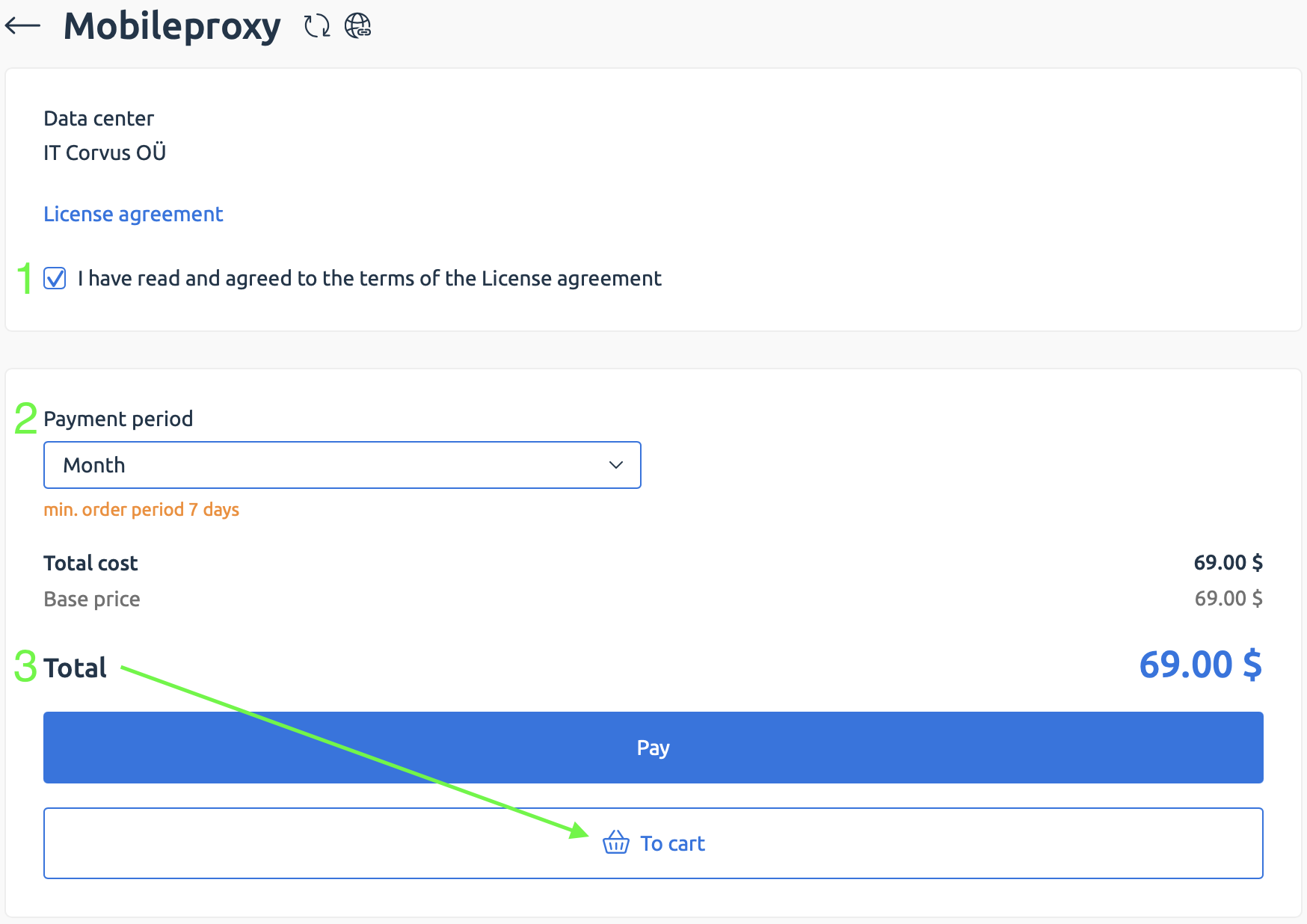
3) You will be redirected to the order page:
1 - Read and accept the Terms of Service
2 - Select one of the available billing periods
3 - If you have a promo code, make sure to click “To Cart.” To purchase quickly without a promo code, click “Pay.”
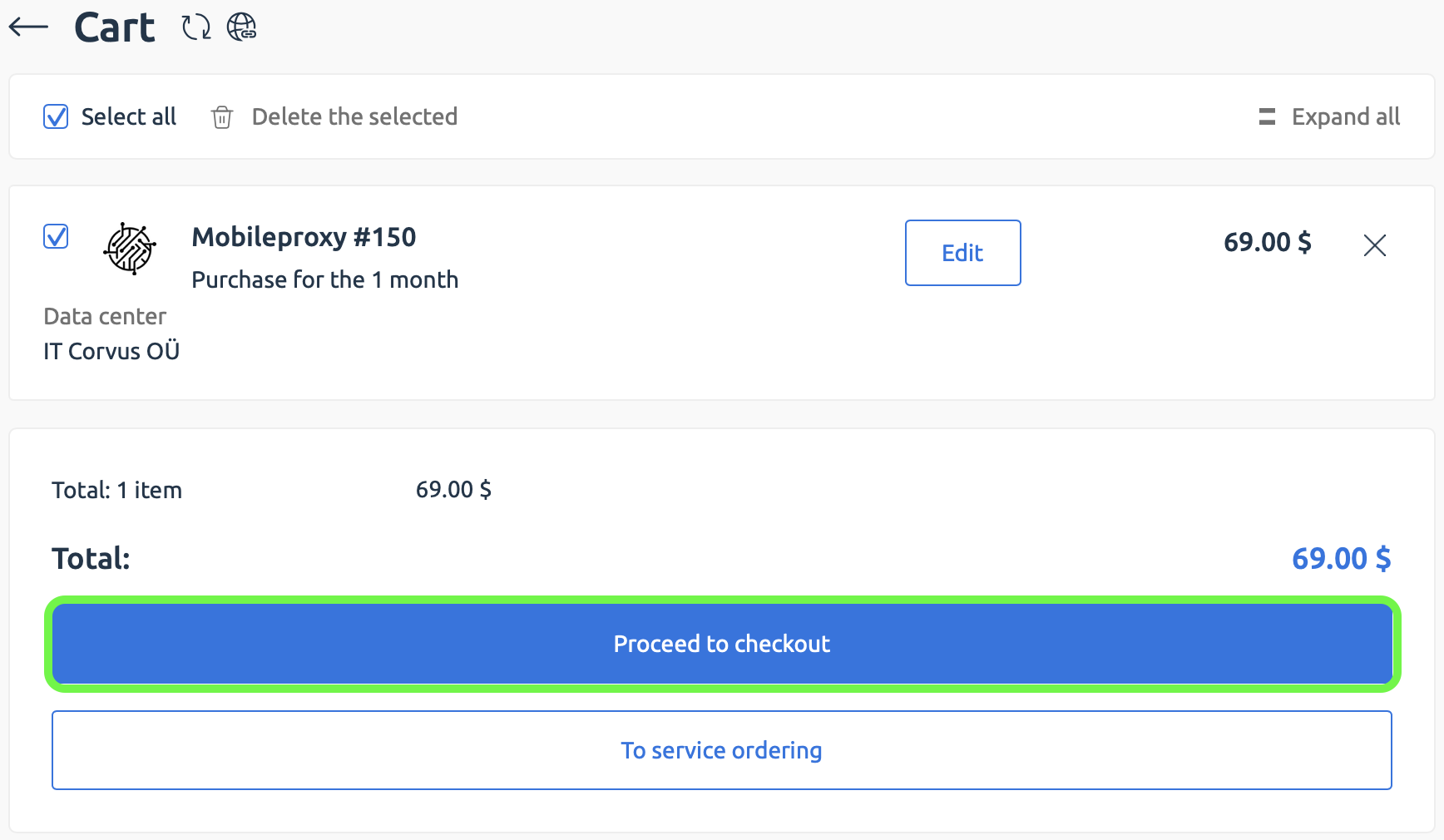
4) Review your order and click “Proceed to checkout”.
3 - Payment
1) Choose one of the available payment methods.
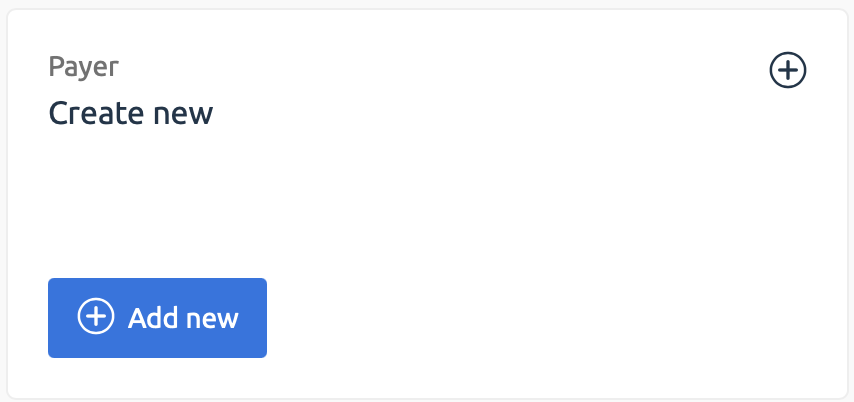
2) Create a new payer profile by clicking “Add new” and follow the instructions.
2) Create a new payer profile by clicking “Add new” and follow the instructions.
3) Final step: enter a promo code (if applicable) and click “Proceed to Payment”.
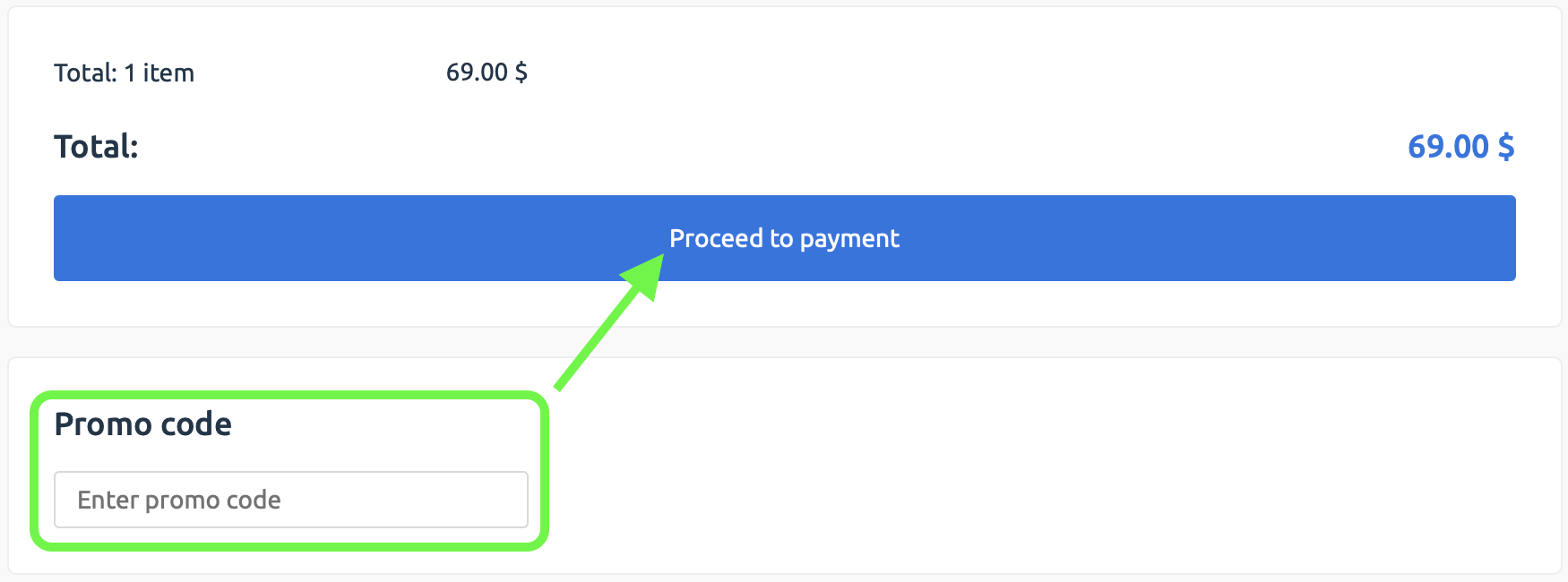
A payment window will open. After completing the transaction, you will be redirected back to your dashboard.
Congratulations! Your mobile proxy service has been successfully ordered.
It will activate automatically within a few minutes.
Congratulations! Your mobile proxy service has been successfully ordered.
It will activate automatically within a few minutes.

4 - Accessing Your Proxy Details
1) We will send the connection details to your email.
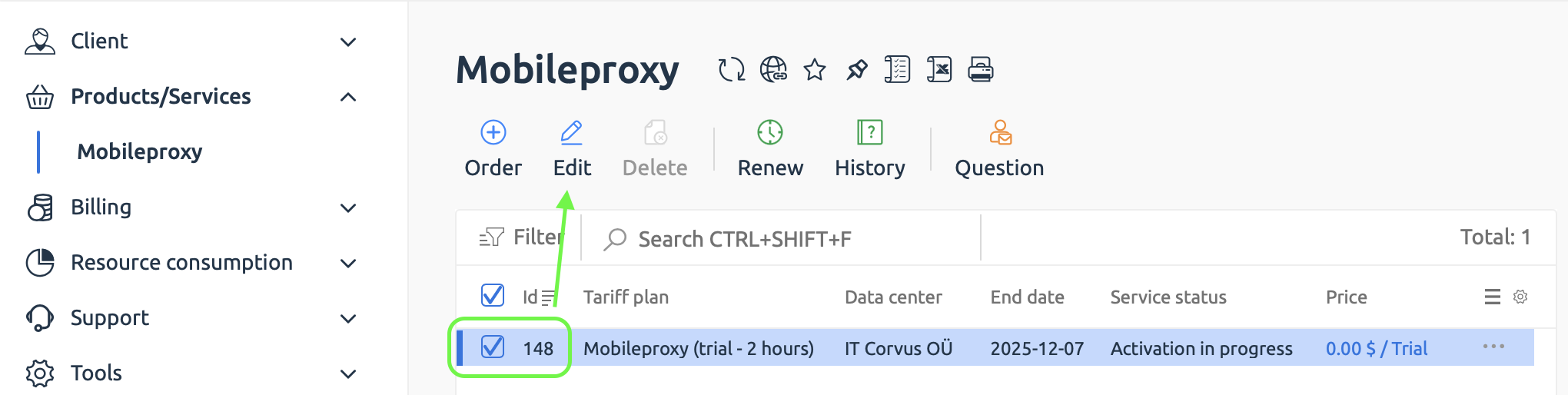
2) You can also find them in your dashboard: Products/Services → Mobileproxy → select a service → “Edit” (or simply double-click the service)
2) You can also find them in your dashboard: Products/Services → Mobileproxy → select a service → “Edit” (or simply double-click the service)
👉 See the separate guide: “How to Set Up and Use Mobile Proxies”
5 - Discounts, Promotions & Affiliate Program
- We offer discounts for bulk orders — the more devices you purchase, the lower the price per service.
- We also run periodic promotions. To stay updated, subscribe to our Telegram channel.
- Additionally, we have an affiliate program that allows you to earn commissions from invited users.


✏️️ Want to discuss something? Join our Telegram chat.
❓Questions? Check our "knowledge base" or use the contacts at the bottom of the page.